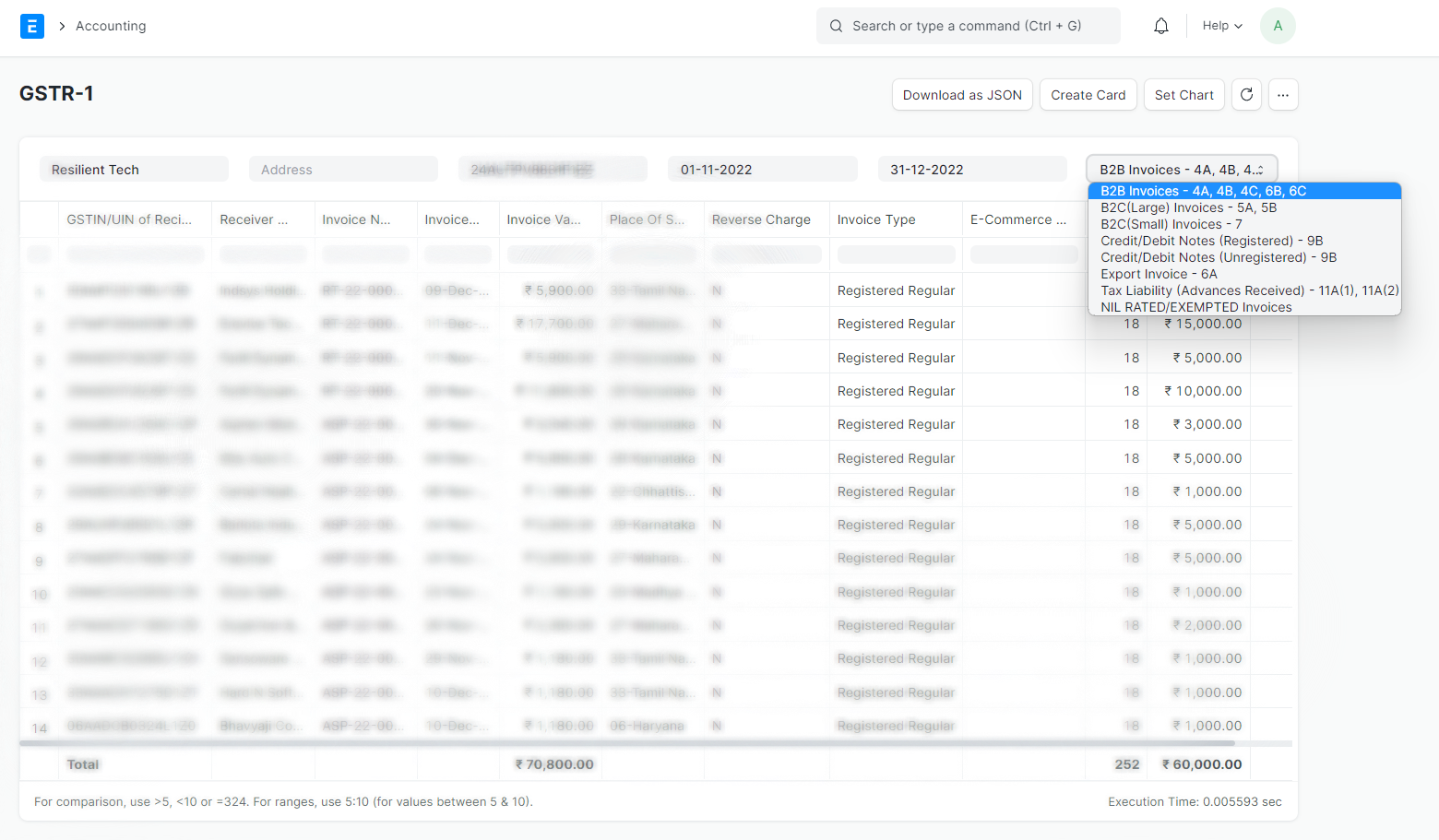
GSTR-1
India Compliace App helps you generate GSTR-1 Report, export it in JSON, or Excel, and utilize it for effectively file GSTR-1 returns.
GSTR-1 Beta
Feature Highlights
Simplify GSTR-1 filing, and file with confidence using the GSTR-1 Beta.
- Seamless API Integration: Effortlessly fetch unfiled/filed data from the GST Portal for comparison before and after filing GSTR-1.
- Comprehensive Overview: Access to complete overview of Ledger Balances, Transactions, and data as per GST Portal.
- Enhanced Control: Prevent modifications to Sales Invoices once GSTR-1 is filed, ensuring data integrity.
Setting up
To get stated with GSTR-1 Beta, make sure you have completed the following steps:
Configure GST Settings
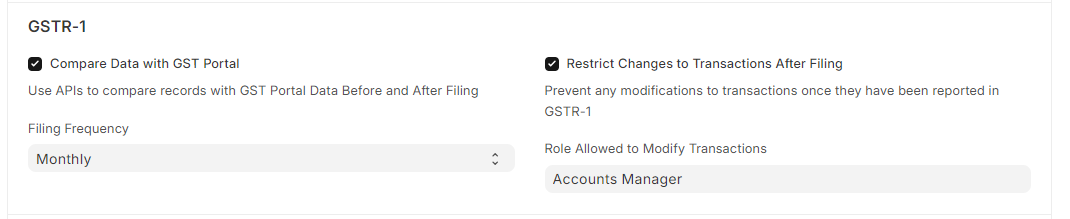
Navigate to GST Settings and configure settings related to GSTR-1.
- Compare Data with GST Portal: Enable this feature to utilize API functionalities for fetching filed data from the GST Portal for comparison.
- Filing Frequency: Choose between Monthly or Quarterly filing frequencies for GSTR-1.
- Restrict Changes to Transactions After Filing: Enable restrictions to prevent changes to Sales Invoices after filing GSTR-1, maintaining consistency with the data submitted to the GST Portal.
- Role Allowed to Modify Transactions: Designate specific roles authorized to modify transactions (Sales Invoices) after filing GSTR-1.
If you wish to use API related features, make sure credentials are set up for service Returns.
Enable API Access on GST Portal
If you plan to leverage API features, make sure that API access is enabled on the GST Portal.
Generate GSTR-1
Navigate to GSTR-1 Beta and select the period and company for which you want to generate the GSTR-1 report. Click on the Generate button.
For API features, an OTP may be required for authentication; input the received OTP from your registered contact details.
The generation process of GSTR-1 is queued and may require some time to finalize.
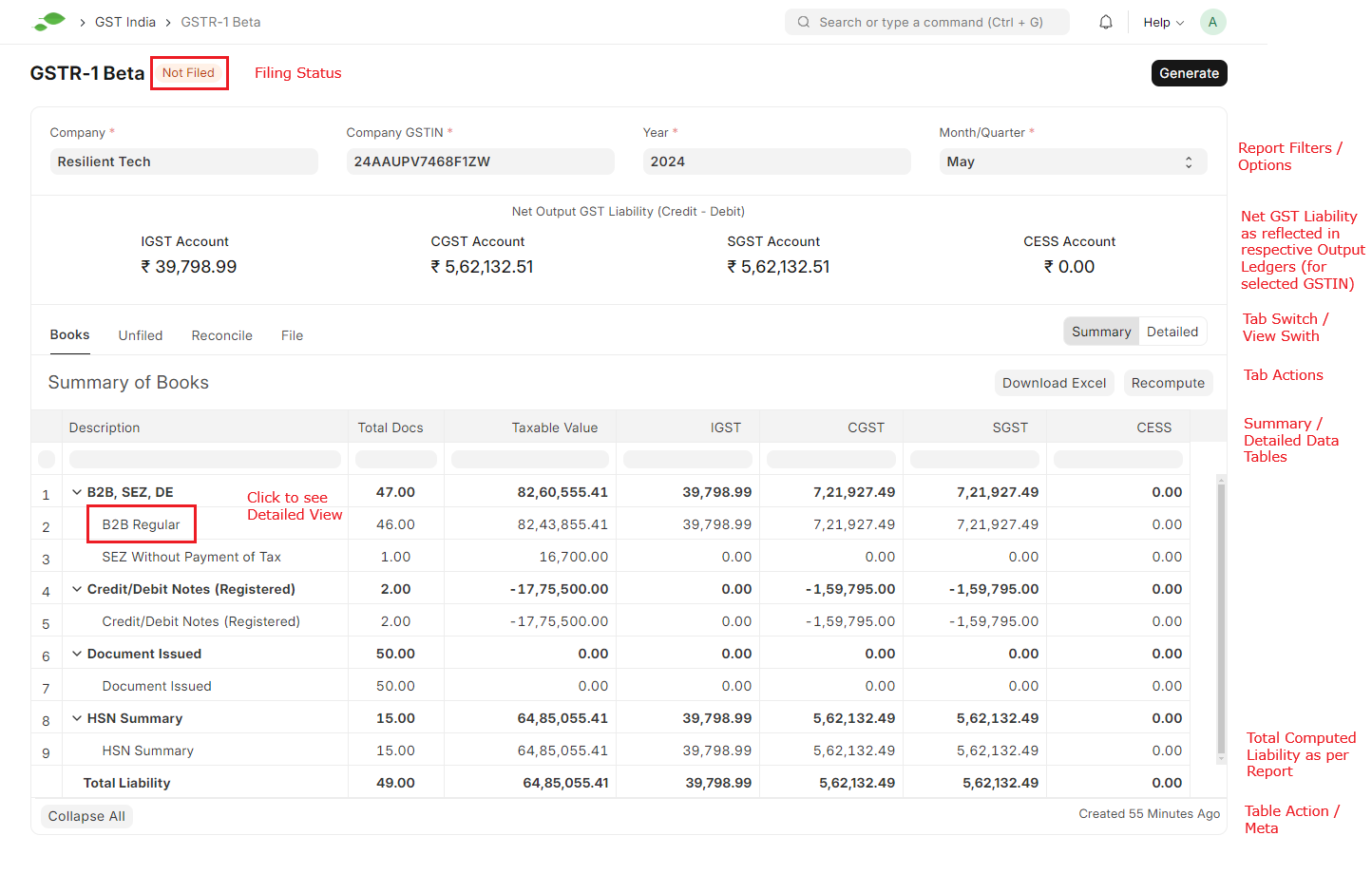
Navigate through GSTR-1
- Filing Status: Shows the status of the GSTR-1 Filing for the selected period.
- Net Output GST: Presents the balance in GST Output Ledgers (Credit - Debit).
- Tabs Navication: Easily navigate through various Tabs to access specific data.
- Tab Actions: Perform actions like downloading data in Excel or JSON format, syncing data with the GST Portal, and more.
- Detailed Views: Click on sub-categories to delve into detailed data.
Compare, Export, and File
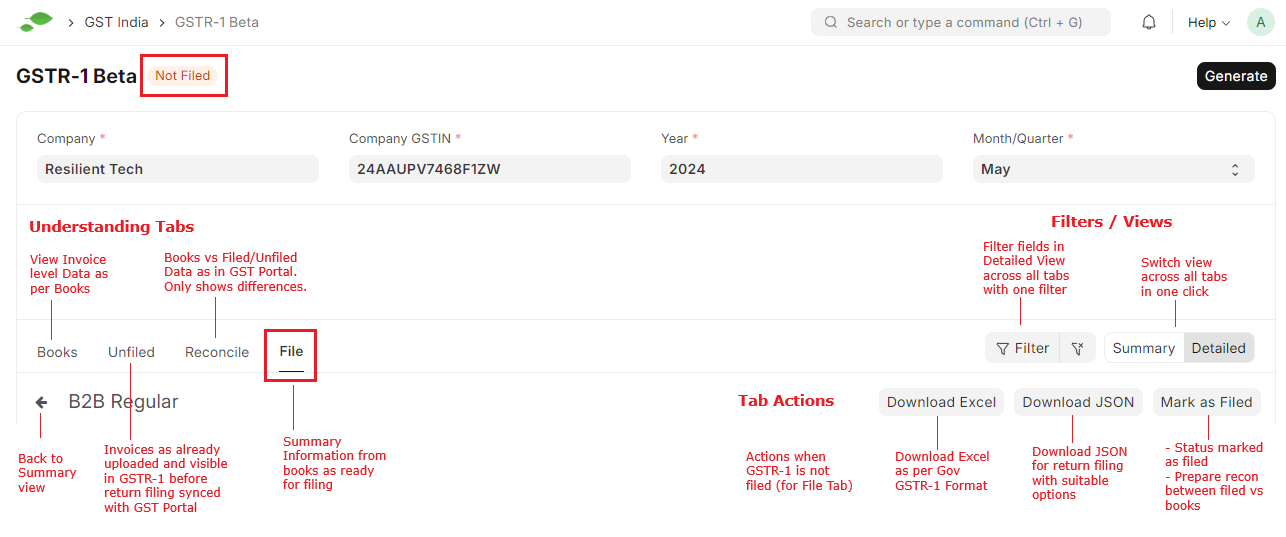

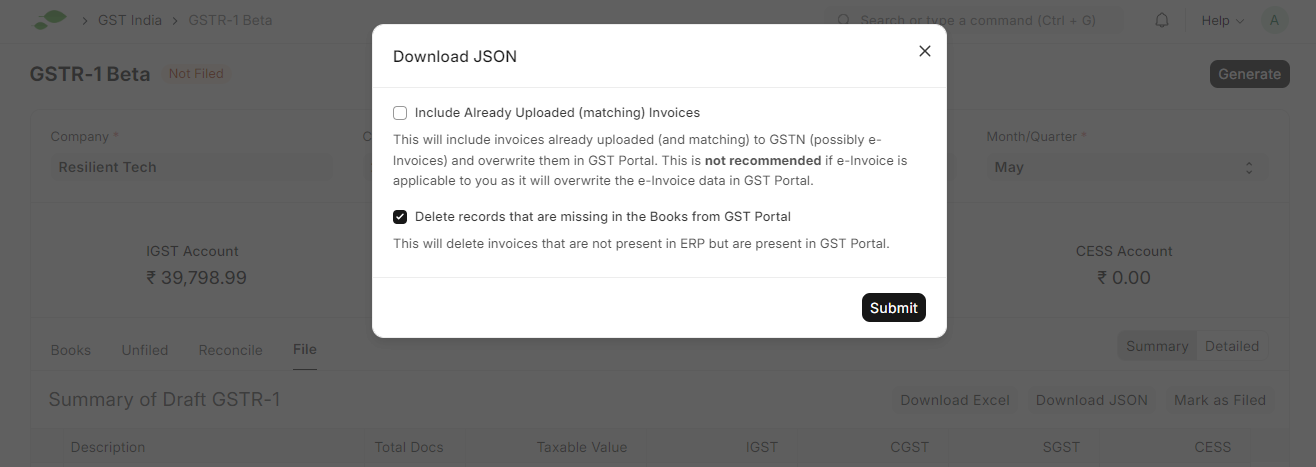
More control with JSON Export
- Exclude previously uploaded data from JSON export.
- Delete transactions in the GST Portal that are absent in your books.
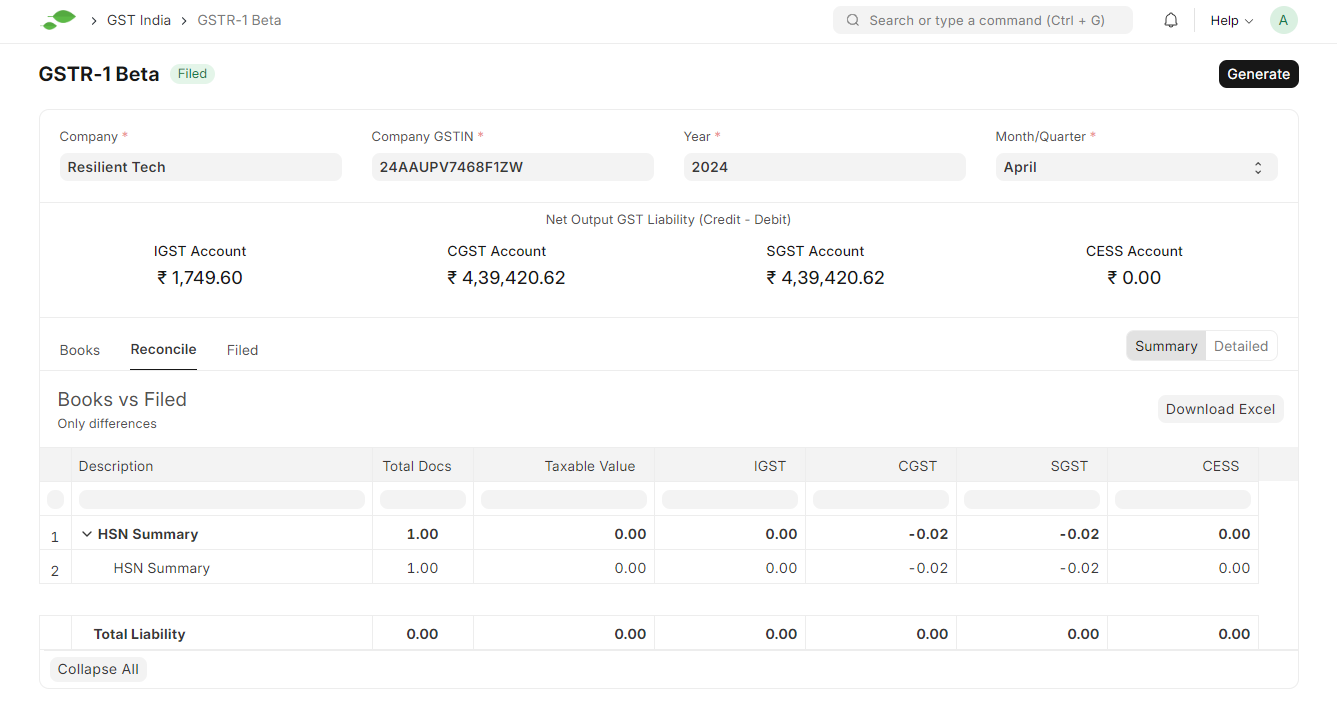
Compare Historical Data
GSTR-1 Report (Legacy)
IMPORTANT
This is a legacy feature and will be deprecated in v16. Please use the GSTR-1 feature as described above.
To generate GSTR-1 Report in ERPNext navigate to
Accounting > Goods and Services Tax (GST India) > GSTR-1 Report
or simply search for GSTR-1 Report in awesomebar.
Enter the following details to generate the report:
- Company Name
- Company Address linked to the GSTIN for which the report is to be generated
- From Date
- To Date
- Type of Business
Click
Download as JSONto create JSON.
You can also Export report in Excel or CSV.